The BCSC would like to thanks all the people that volunteered for this event. This was a three day event, where the club threw over 40,000 targets. Events like this are not possible without the support of our members. Many of these members where here for all three days plus supporting doing prework and clean up after. Before hand the lawns and fields need to be prepared. After the event the cases and hulls all need to be cleaned up and the dumpsters need to be jumped on to compact the trash so it fits in. The houses needed to be reloaded each day. That is all beyond the shoot work of registration, scoring, loading houses and serving lunches.
If you were not able to volunteer be sure to thanks these people as ask how you can help next time. They would welcome the support and comradery. I am sure from the list activities listed, you can see a spot where your skills and ability would fit in.
Volunteer List:
Chris Duescher
Mindy Duescher
Ken Duescher
Angela Duescher
Tina Wichman
Rick Erickson
Mark Stephany
Al Winiecki
Ridge Johansen
Don Will
Dave Holub
Bob Olsen
Dan Gulmire
Bill Kaehler
Tim Selner
Craig Storm
Al Sutrick
Al Neal
Dave Conway
Fred Libert
Mike Cieslewicz
Tom Lytie
Paul Steinbrecher
Mike Salemi
Jason Gulmire
Joe Baugnet
I am unfortunately confident that I missed some of the volunteers on the list. Your support is of course greatly appreciated as well. THANKS TO ALL!!!!!!
Next Classes will be schedule in Spring – Dates have not been set
The Green Bay Hunter Education Instructors Group is offering a 3-day DNR certified Hunter Education Course. This is a course focusing on the safe, responsible handling of firearms. It is geared toward youth, 12 years of age and older, and persons new to the shooting sports.
Students successfully completing the course will receive their DNR Hunter Education Certification (required of persons born after January 1, 1973 to purchase a WI hunting license).
Students need to pickup and complete student handbook before the first class. There is a book pickup night scheduled prior to the class at the club. Students have to read all chapters and answer the questions in the back of the book. Students must attend all 3 nights to complete the course and to receive their certification.
Location: Brown County Sportsmen’s Club.
For additional information: Watch the GoWild Site for the upcoming classes.
Selection of GoWild page to aid in locating class: Select Course Type “Hunter” and County “Brown” to see local options. https://gowild.wi.gov/customers/class
Get yourself out!!! Bring the kids. Bring your friends. Bring your wife.
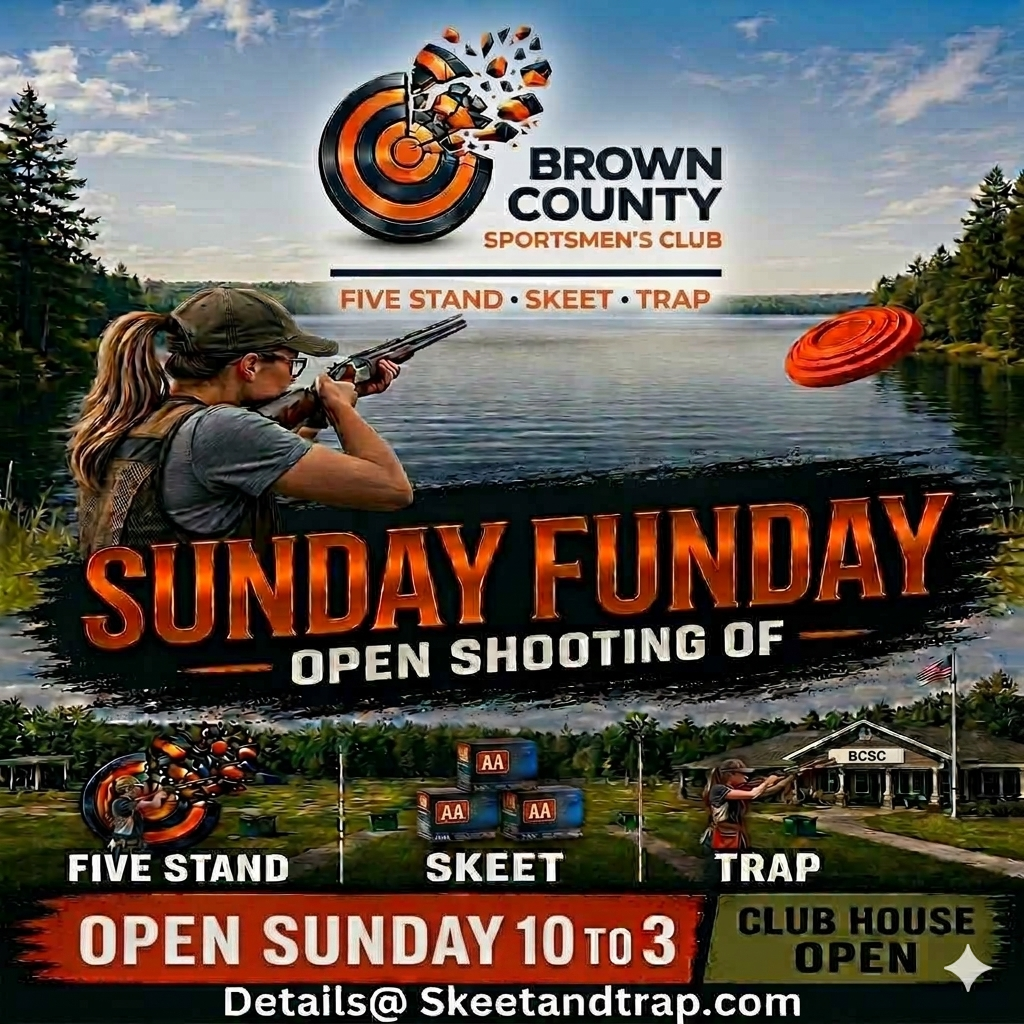
The Club will be having it first Funday Sunday Event at the Club on July 5th. It will be coordinated with the West Five Stand Grand Opening Event. Come out and learn about the clubs ability to let you shoot anytime from 8:00 am to dusk 7 days a week. Bring out your youth shooters as they finish their youth leagues trap leagues to learn skeet or 5-Stand. Bring out your older friends that haven’t been shooting for a while. Get yourself out if you haven’t tried our 5-Stand or Skeet. We will make sure you have a worthwhile day.
It is the country’s 250 anniversary. What better way to celebrate than coming out to make a bang.
The BCSC would like to give a huge thanks to all that made the North East Regional ATA Trap Shoot possible:
The ATA for providing the club with the opportunity to host it.
CHRIS DUESCHER for coordinating and managing this event. And his many family members that came to support the event.
INTEGRITY ENGINEERING AND DESIGN for being the Major Sponsor of the guaranteed prize money.
The large number of VOLUNTEERS that prepared the Club and supported the event over the three days. Many of them spent all three days there to make this a success.
And of course most importantly to the many SHOOTERS that came out to compete.
This was a great opportunity to rekindle old friendships and remember fond memories of past events and make new friends for the future. The Club wishes that all that participated enjoyed the event as much as we enjoyed hosting it. See you at the next shoot.
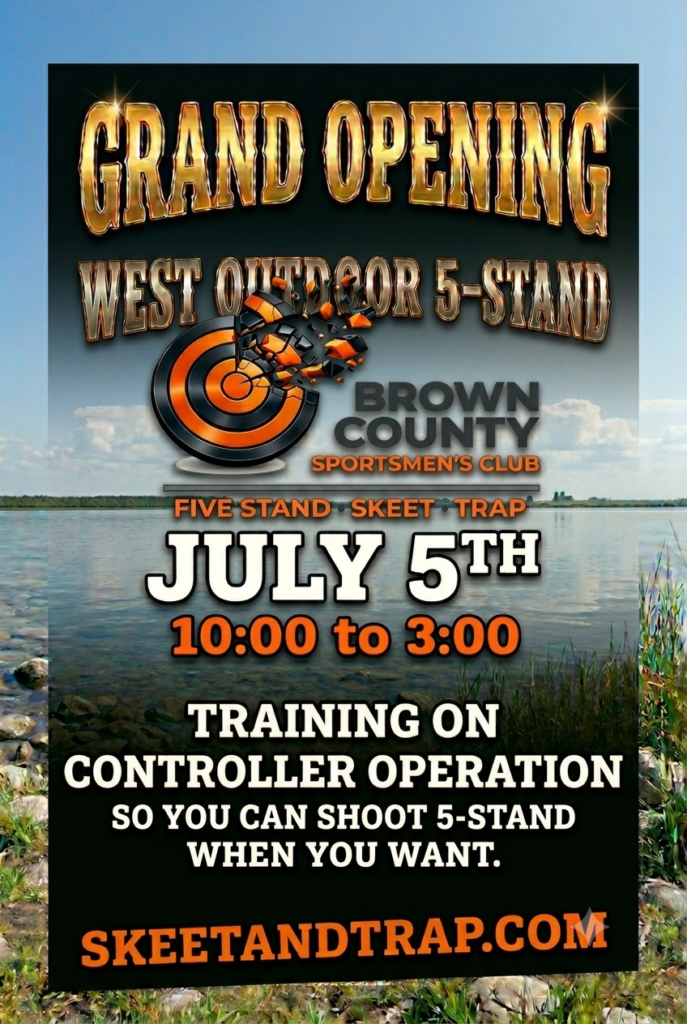
The Club will be having a grand opening of the West Five Stand On Sunday July 5th. We will have the field open with instructors from 10:00 to 3:00 for a chance for you to try out the new five stand field and get instructions on how to use it on your own. The instuctors will train you on the controller and equipment operation so that you can use the field on your own schedule. You will also get instructions on how to use Voice to shoot on your own. This 5- Stand field is available for use from 8:00 to dusk 7 days a week. You could come out again on Monday to shoot when the other clubs are closed.
West Five Stand is setup for easy operations by anyone. We have made it easy to have your own 5-Stand Shooting just like sporting clays but with different 6 targets from 5 spread out shooting stations. All throwers are ready to operate. Controller Instructions below. Voice Instruction as well. This allows you to shoot as a group or practice by yourself. Watch the newletter for training dates. Like all of our fields we encourge you to use the Longrange Cards to allow you to shoot from 8:00 to dusk.
Using the West 5-Stand
Here is the step-by-step process to retrieve the MT4300 cart from the High Skeet House 1 and set it up for manual operation on the West 5-Stand field.
Step 1: Accessing High Skeet House 1
To get to the equipment cart, you will need to open the lower storage level of the High Skeet House on Field 1.
Key Lock Box: Get the Field Keys out of Lock Box on light pole of field 1. Use the club’s standard 3-digit lock combination
Locate the Padlock: Go to the access door on the lower level of High Skeet House 1.
Open the Lock: Use the padlock key to open the lock. Remove padlock and slide hasp to allow door to open. Hang padlock in the hook inside the building.
Roll Out the Cart: Open the door fully, unplug the controller if it is charging and carefully roll the 5-Stand cart out. Ensure the wireless antenna attached to the cart assembly doesn’t bump the door frame. Lock the door back up if you are heading straight to the West field and return the keys to the lock box.
Step 2: Setting Up on the West 5-Stand Field
Once the cart is positioned at the West 5-Stand field control station, get the MT4300 controller ready for action.
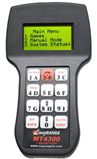
Long Range MT4300 Controller.
Power On: Press and hold the ON / BACK button on the keypad until the digital screen lights up.
Load Rounds: Load Rounds from your LongRange 5- Stand card. Press enter when all Shooter Rounds are entered to access the Main Menu
Check the Screen: The main menu will appear on the display, showing options like 1. Games, 2. Manual Mode, or 3. System Status.
Step 3: Launching Manual Operation
Manual operation lets you throw targets instantly with a single button press—perfect for un-squaded practice, trap testing, or custom clay presentation drills on the West field.
Select Manual Mode: From the main menu screen, press the 2 key (labeled 2B) to choose Manual Mode.
Identify Your Traps: The keys are mapped numerically and alphabetically to match the standard 5-stand layout designations:
Buttons 1 through 6 directly correspond to Traps 1 to 6
Throwing Singles: Press any single button (1 through 6) to instantly fire that specific trap.
Throwing Pairs:
Report Pairs: Press the first target button, wait for the shooter to fire, and then press the second target button.
True Pairs: Press the True Pair / Enter button in the bottom right corner, then press the two target buttons you want to throw simultaneously, and press Enter again to fire.
MT 4300 Voice Mode
Here is how to set up and use the Voice Control feature with the MT4300 controller for hands-free or solo shooting on the West 5-Stand field.
The voice release system uses the Long Range internal microphone allowing a shooter’s vocal command (“Pull!”) to instantly fire the traps.
Step 1: Activating Voice Mode on the Controller
Enter the Menu: From the main screen, use the arrow keys or keypad to navigate Voice Release Mode (Option 5 on main menu).
Toggle Voice On: Select Voice Control: ON by choosing option 5 of Main Menu. Choosing option 5 again turns it off.
Step 2: Operating with Voice Control
Once activated, the system needs to be “armed” for every shot sequence to prevent background noise or closing gun actions from accidentally throwing targets.
Throwing Singles: Press any single button (1 through 6) to arm that specific trap.
Throwing Pairs:
Report Pairs: Press the first target button, and then press the second target button to arm the specific traps. After the release of the first bird the second bird will be released on the sound of the gun report.
True Pairs: Press the True Pair / Enter button in the bottom right corner, then press the two target buttons you want to throw simultaneously, and press Enter again to arm.
Calling for the Target: Call “Pull!” clearly. The microphone will detect the sound frequencies and instantly fire the selected manual trap or the next target in the pre-loaded 5-stand sequence.
The “Dead Mic” Feature: After a target is thrown and a shot is fired, the controller automatically shuts off the microphone for a brief window (usually 3-4 seconds). This ensures the sound of the actual gunshot or the spent shell ejecting doesn’t accidentally trigger a second, unwanted target.
Pro Tip: To aid the next group of Shooters insure that the Voice Mode is turned off and verify on Main Menu 5 that Voice is off.
West Five Stand is setup for easy operations by anyone. We have made it easy to have your own 5-Stand Shooting just like sporting clays but wiht 6 targets. All throwers are ready to operate. Controller Instructions Below. Voice Instruction as well. This allows you to shoot as a group or practice by yourself. Watch the newletter for training dates. Like all of our fields we encourge you to use the Longrange Cards to allow you to shoot from 8:00 to dusk.
Using the West 5-Stand
Here is the step-by-step process to retrieve the MT4300 cart from the High Skeet House 1 and set it up for manual operation on the West 5-Stand field.
Step 1: Accessing High Skeet House 1
To get to the equipment cart, you will need to open the lower storage level of the High Skeet House on Field 1.
Key Lock Box: Get the Field Keys out of Lock Box on light pole of field 1. Use the club’s standard 3-digit lock combination
Locate the Padlock: Go to the access door on the lower level of High Skeet House 1.
Open the Lock: Use the padlock key to open the lock. Remove padlock and slide hasp to allow door to open. Hang padlock in the hook inside the building.
Roll Out the Cart: Open the door fully, unplug the controller if it is charging and carefully roll the 5-Stand cart out. Ensure the wireless antenna attached to the cart assembly doesn’t bump the door frame. Lock the door back up if you are heading straight to the West field and return the keys to the lock box.
Step 2: Setting Up on the West 5-Stand Field
Once the cart is positioned at the West 5-Stand field control station, get the MT4300 controller ready for action.
Long Range MT4300 Controller.
Power On: Press and hold the ON / BACK button on the keypad until the digital screen lights up.
Load Rounds: Load Rounds from your LongRange 5- Stand card. Press enter when all Shooter Rounds are entered to access the Main Menu
Check the Screen: The main menu will appear on the display, showing options like 1. Games, 2. Manual Mode, or 3. System Status.
Step 3: Launching Manual Operation
Manual operation lets you throw targets instantly with a single button press—perfect for un-squaded practice, trap testing, or custom clay presentation drills on the West field.
Select Manual Mode: From the main menu screen, press the 2 key (labeled 2B) to choose Manual Mode.
Identify Your Traps: The keys are mapped numerically and alphabetically to match the standard 5-stand layout designations:
Buttons 1 through 6 directly correspond to Traps 1 to 6
Throwing Singles: Press any single button (1 through 6) to instantly fire that specific trap.
Throwing Pairs:
Report Pairs: Press the first target button, wait for the shooter to fire, and then press the second target button.
True Pairs: Press the True Pair / Enter button in the bottom right corner, then press the two target buttons you want to throw simultaneously, and press Enter again to fire.
MT 4300 Voice Mode
Here is how to set up and use the Voice Control feature with the MT4300 controller for hands-free or solo shooting on the West 5-Stand field.
The voice release system uses the Long Range internal microphone allowing a shooter’s vocal command (“Pull!”) to instantly fire the traps.
Step 1: Activating Voice Mode on the Controller
Enter the Menu: From the main screen, use the arrow keys or keypad to navigate Voice Release Mode (Option 5 on main menu).
Toggle Voice On: Select Voice Control: ON by choosing option 5 of Main Menu. Choosing option 5 again turns it off.
Step 2: Operating with Voice Control
Once activated, the system needs to be “armed” for every shot sequence to prevent background noise or closing gun actions from accidentally throwing targets.
Throwing Singles: Press any single button (1 through 6) to arm that specific trap.
Throwing Pairs:
Report Pairs: Press the first target button, and then press the second target button to arm the specific traps. After the release of the first bird the second bird will be released on the sound of the gun report.
True Pairs: Press the True Pair / Enter button in the bottom right corner, then press the two target buttons you want to throw simultaneously, and press Enter again to arm.
Calling for the Target: Call “Pull!” clearly. The microphone will detect the sound frequencies and instantly fire the selected manual trap or the next target in the pre-loaded 5-stand sequence.
The “Dead Mic” Feature: After a target is thrown and a shot is fired, the controller automatically shuts off the microphone for a brief window (usually 3-4 seconds). This ensures the sound of the actual gunshot or the spent shell ejecting doesn’t accidentally trigger a second, unwanted target.
Pro Tip: To aid the next group of Shooters insure that the Voice Mode is turned off and verify on Main Menu 5 that Voice is off.
When closing down the trap, skeet, or 5-stand houses at the end of a shoot or league night, properly filling and securing the automatic throwers is critical for keeping the machines in good working order and ensuring they are ready for the next group of shooters. The Club relys on its members filling the house as one of the ways to keep the shooting costs down. With the ability to shoot when you desire, comes the responsiblity to understand and prepare the equipment for the next group of shooter.
Here is a standard checklist and best practice guide for filling and closing down target houses.
1. Safety First (Crucial Step)
Before anyone puts their hands inside a trap or skeet house to load targets, the machine must be rendered safe.
Disarm/Uncock: Flip the toggle switch to the “Disarm” or “Release” position to safely fire the throwing arm forward without launching a target.
Power Off: Once the arm is uncocked, turn the main power switch to OFF.
⚠️ Never load targets into a machine while the throwing arm is cocked or the power is switched on. One accidental trip of the arm can cause severe injury.
2. Filling the Carousels
Once the machine is fully powered down and safe, you can replenish the target supply so it’s ready for the next shooter.
Inspect for Debris: Check the bottom of the carousel and the launch plate for any broken target pieces, dust, or moisture. Wipe or clear it out before loading fresh birds.
Load Evenly: Fill the columns of the carousel. Avoid overfilling past the maximum height line recommended by the manufacturer (usually leaving about an inch of clearance at the top of the rods) to prevent targets from binding or tipping over.
Check Target Quality: Discard any cracked or chipped targets as you load them. Damaged targets will almost certainly break on the throwing plate, causing jams for the next group of shooters.
Post-Shutdown Log
Item
Requirement
Verification
Arm Status
Fired / Relaxed (No Tension)
Verified ☐
Power Status
Disconnected / Isolated
Verified ☐
Target Status
Carousels filled / No broken birds
Verified ☐
House Status
Ports closed / Doors double-locked
Verified ☐
💡Shooter Reminder: If a machine experienced throwing errors, frequent breakage, or electrical issues during the shift, do not leave it for the next shooters. Note the field/house number and report it immediately to the Club Management.
To keep our club secure and ensure all authorized members have access, please follow these strict rules regarding the key lockboxes:
Return Immediately: Once you have used the key to open the field, put it back in the lockbox right away.
Do Not Keep the Key: Never leave the key in your pocket, vehicle, or a door lock or cabinet while you are shooting.
Secure in Lock Box: After closing the lockbox door, insure that it is secure.
Notify if you have taken keys off the property. Contact Ridge Johansen 920-562-4179 or Don Will 920-883-2196. Work with them on a plan to return them.
Why this matters: Leaving the keys out means the next members aren’t able to open the fields, and it means a volunteer needs to locate the missing keys or make new ones at $5 a key. The Volunteers do enough already, please don’t create work for him.
Thank you for your cooperation in keeping our club safe and accessible for everyone!